Create and manage credentials
Drive APIs are not yet generally available. Prospective partners can apply for API access directly through the DoorDash Developer Portal.
New to the Developer Portal? Sign up here to create an account and apply for access.
Already have a Developer Portal account? Log in and submit your application from the Integrations tab.
The credentials tab in the the DoorDash Developer portal helps you to connect to the API quickly and securely.
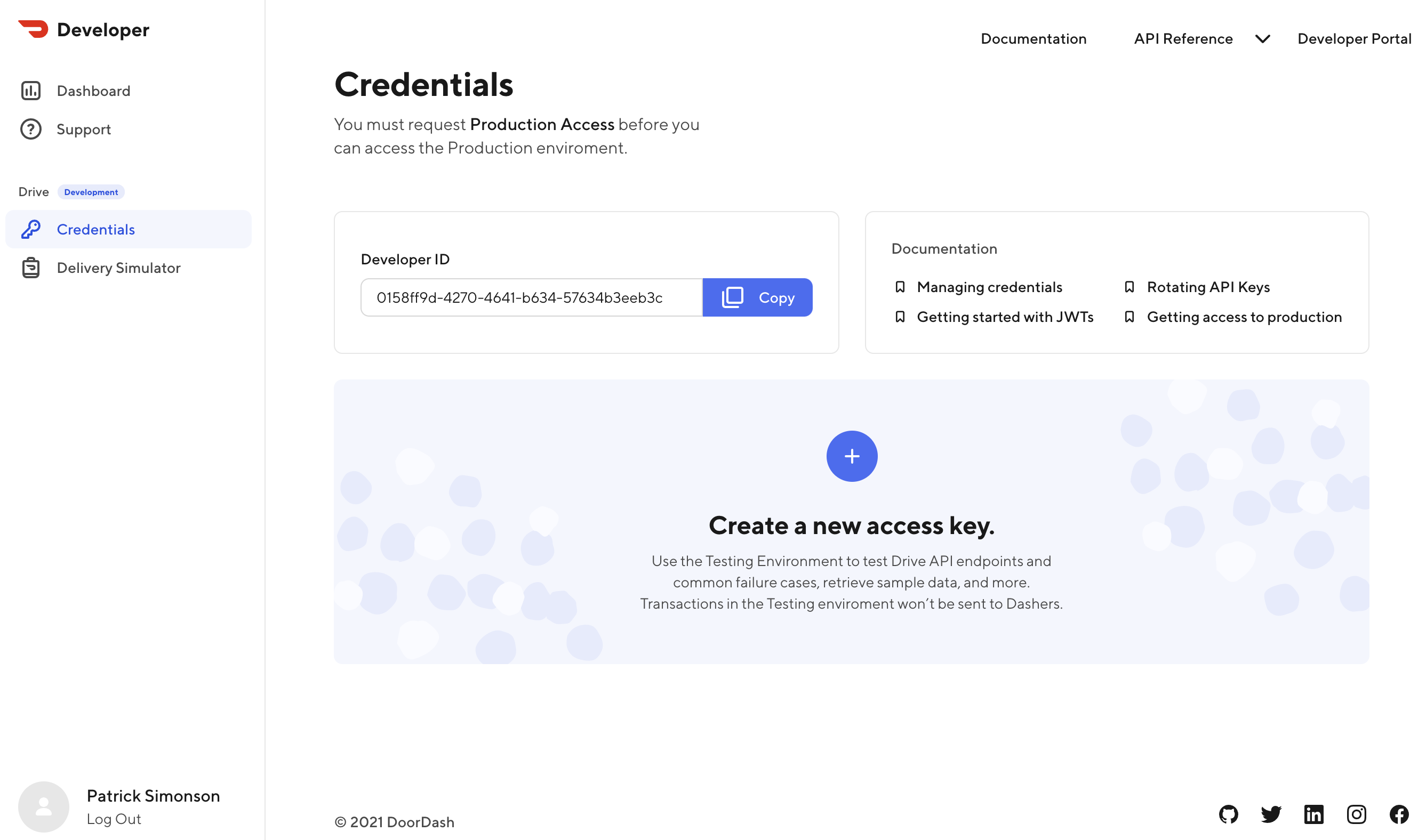
Creating an access key
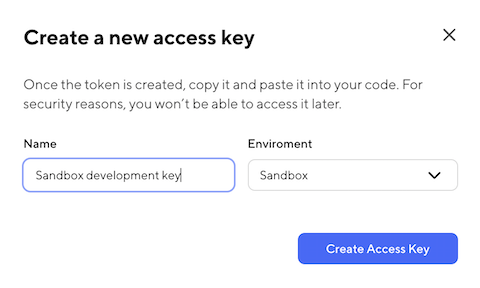
First, provide a name and an environment. The name is used to be able to easily identify the use case of this access key.
Sandbox: When using a sandbox key, a Dasher will not get dispatched when creating deliveries. Use this during testing and integration with your application.
Production: A Dasher will get dispatched when you use a production key. Only use this when fully integrated with your application. You will not be able to create an access key until you have requested production access. See how to get production access.
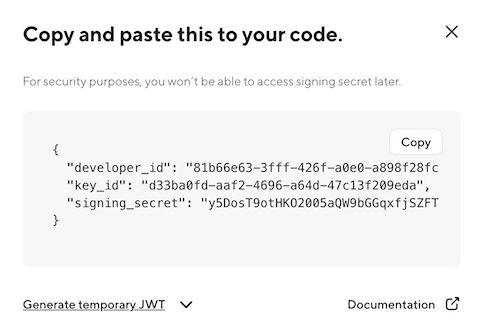
Note: For your security, the signing secret will not be available after you close the modal dialog. Be sure to copy you access key and put it in a secure location.
Generate a temporary JWT
To get started with the API right away, you can generate a JWT.
Note: the maximum lifetime for a JWT is 30 minutes. You can regenerate a new JWT to extend the expiration.

Keeping your credentials safe
Treat you access key and JWTs like a password. Put your credentials into a secure store or vault to protect it from theft and misuse.