AI Assistant Guide
Get real-time answers to your integration questions — no ticket required
Overview
The DoorDash AI Assistant is built directly into the Developer Portal to help integration partners diagnose and resolve issues faster. Answers are personalized to your integration and stores — so instead of generic documentation guidance, you get specific context about what's actually happening.
Most questions get resolved on the spot, without waiting for a TAM or opening a support ticket.
How to Access the Assistant
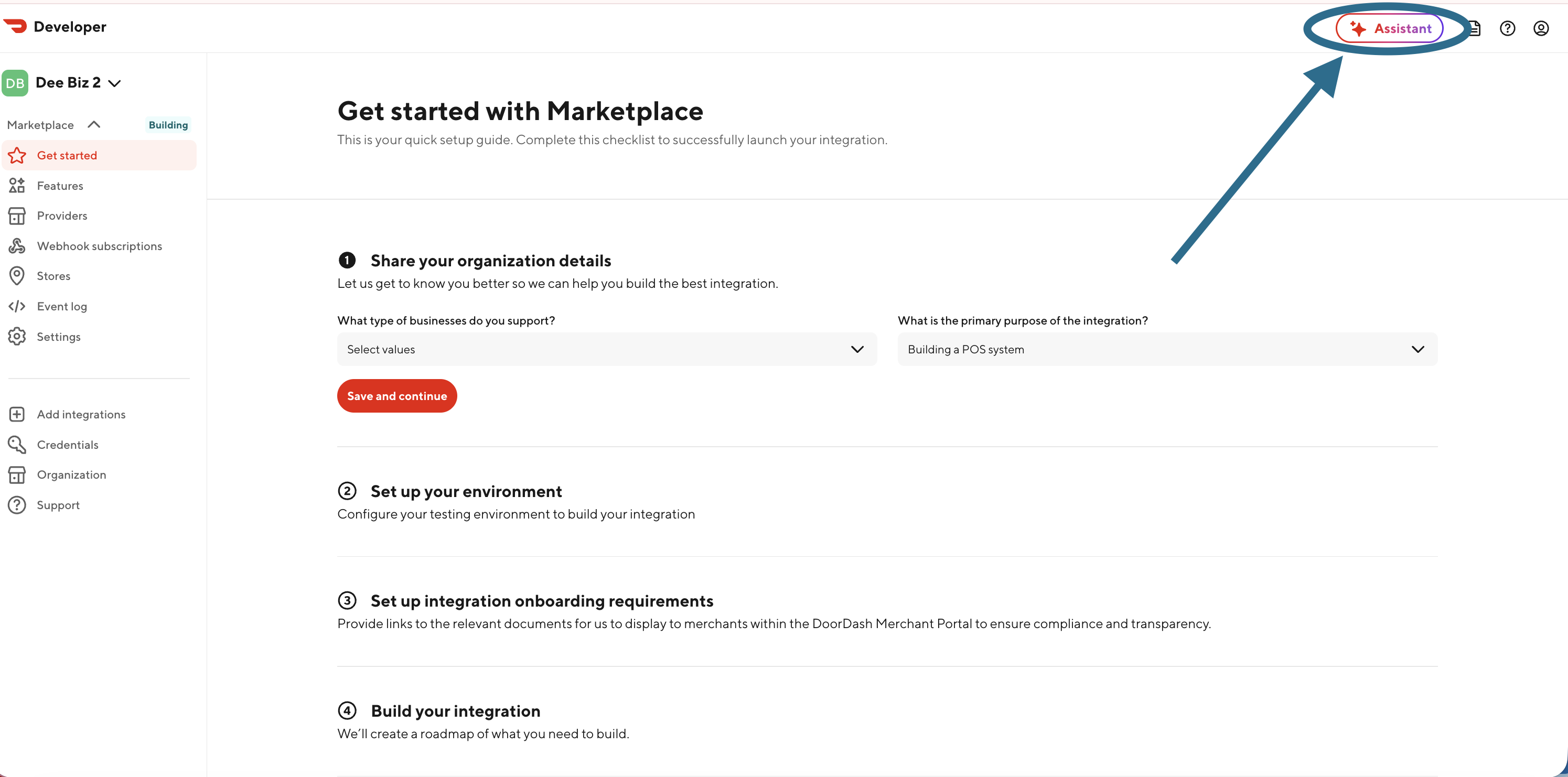
Option 1 — Assistant button Click the ✦ Assistant button in the upper right corner of any Developer Portal page.
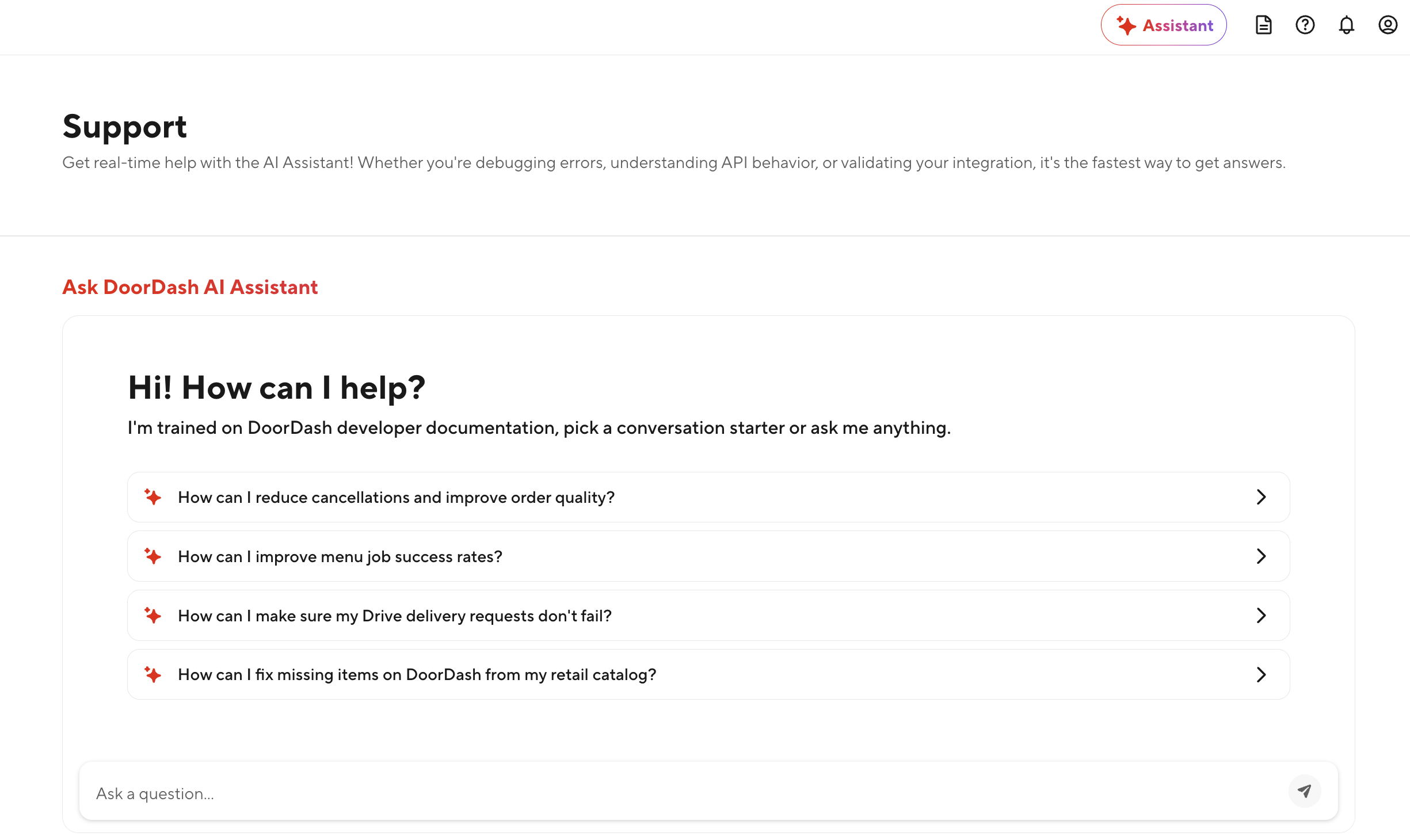
Option 2 — Support page Navigate to Support in the left sidebar and access it directly on the support page.
What's New - Drive
The Assistant now includes expanded diagnostic capabilities directly in the Developer Portal. Partners can use it to investigate integration health, test the integration, get feature details, and quality metrics without opening a ticket first.
These updates make the Assistant more useful for day-to-day operational troubleshooting by helping partners with:
- Creating test deliveries to run through the Delivery Simulator
- Getting a timeline of delivery events
- Cancelling a delivery that is in-progress
- Recommending which features to build-out next
What the Assistant Can Help With
NEW — Create a test store
Create a Marketplace test store on your sandbox or production provider type and set the location ID.
NEW — Menu issues
Diagnose why menu jobs are failing or investigate your current menu configuration to understand what changed and when, or why items, categories, or modifiers are missing or inactive.
NEW — Store availability
Understand why a store is showing as offline or closed unexpectedly — including issues not caused by your integration (e.g. a merchant pausing themselves on DoorDash).
NEW — Order troubleshooting
Investigate order failures, cancellations, and injection issues specific to your stores.
NEW — Support cases
Look up the status of an existing support ticket.
NEW — Integration overview
Understand the status of your integration, provider type, webhook configurations, and sandbox details.
NEW — Event log diagnostics
Investigate store, order, delivery, and menu-level issues from the last 30 days — down to the request and response level — and understand the top failures and failure rates impacting your integration.
NEW — Quality Status (Marketplace Rx partners)
Check your quality rating, error rate, and preferred partner status.
Developer documentation
Get direct answers to documentation questions, including error code explanations and API behavior guidance.
Asking Effective Questions
Include specific context for the best results:
- Store ID or location ID
- Order ID or support case number
- The behavior you're seeing vs. what you expected
- Business line (Marketplace Restaurant, Marketplace Retail, Drive)
Example: Instead of "My menu isn't working," try: "I pushed a menu update for store [12345], but item Lemonade is still showing as inactive. Can you check what's going on?"
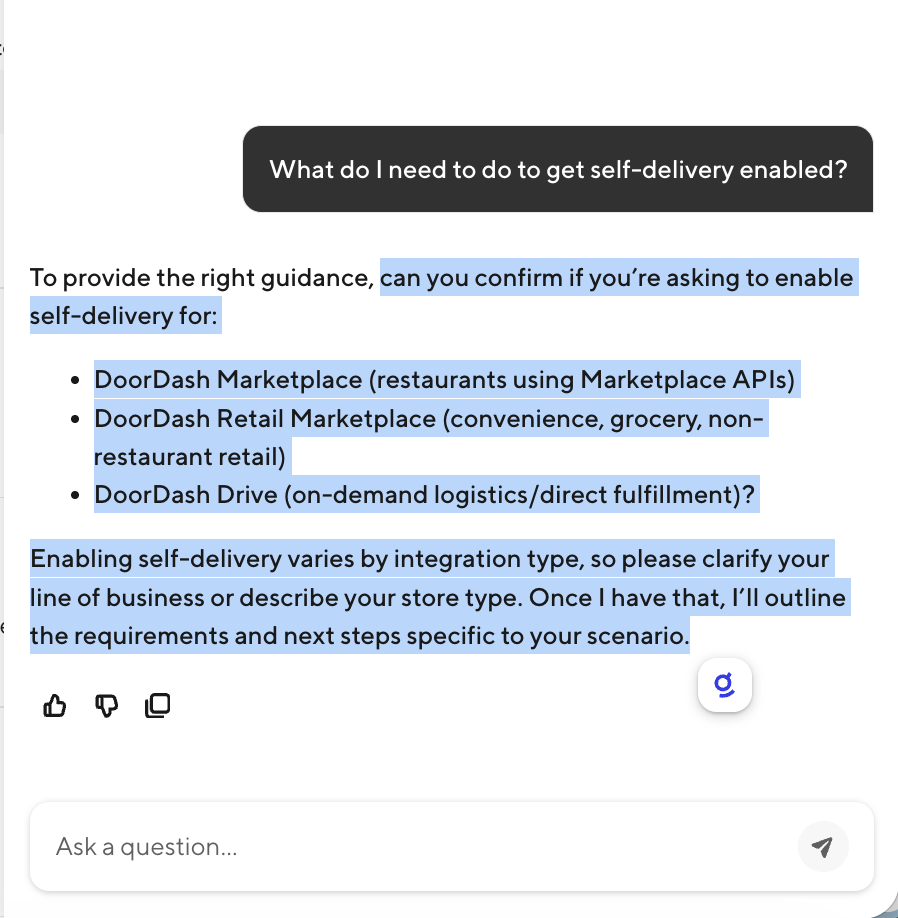
Business Line Clarification
If your question applies to multiple business lines, the Assistant will ask you to clarify before responding.
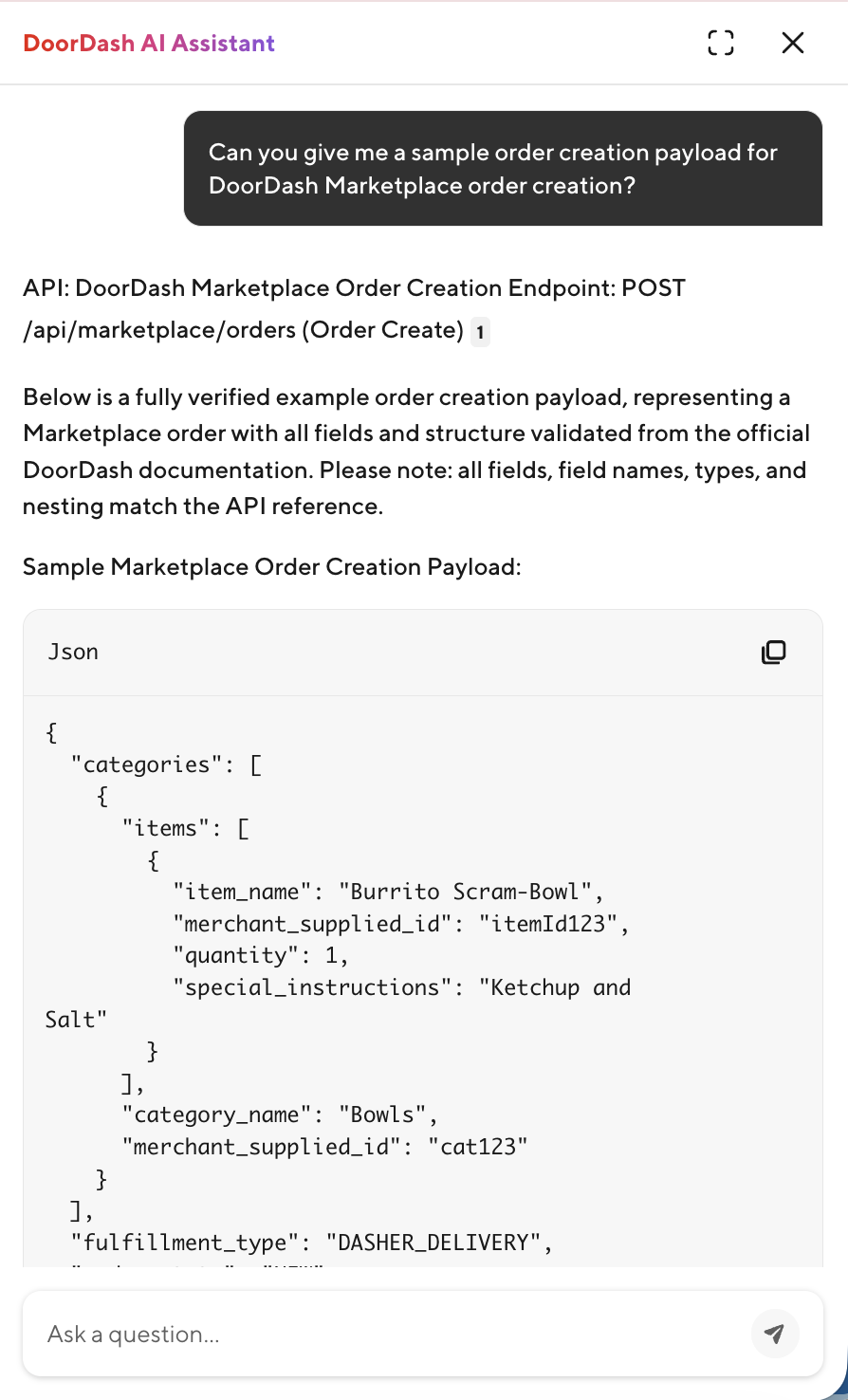
Payload Examples
You can request payload examples for any supported endpoint directly in chat.
When the Assistant Escalates to Support
The Assistant knows its limits. When a request requires manual action from a DoorDash team, it will say so and redirect you to the right path.
Requests that require a Support ticket:
- Production access and credential requests
- API rate limit increases
- Self-delivery activation for retailers
- Store destaging or deactivation requests
For urgent merchant escalations, phone support is available 24/7.
FAQ
Q: Are answers personalized to my integration? Yes — the Assistant has access to data specific to your integration and stores, which is what makes answers actionable rather than generic.
Q: What if the Assistant can't answer my question? It will tell you explicitly and direct you to the right Support channel.