Add members to your organization
Adding members to your organization helps you collaborate with the other developers on your team by sharing access to the Delivery Simulator, to your credentials, to your webhook configurations.
1. Navigate to the members list
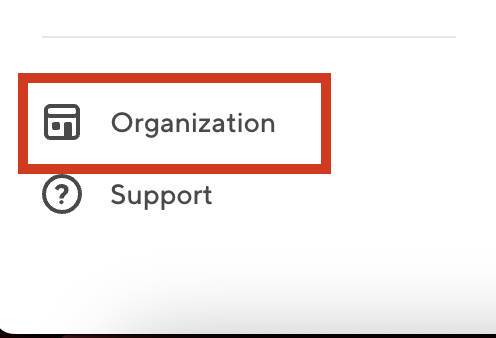
To see the list of members, navigate to the Organization page.
Log into the Developer portal and navigate to the Organization Page by following: Developer Portal > Organization > Members
2. Start adding a member
Click the Add Member button to start adding a member.

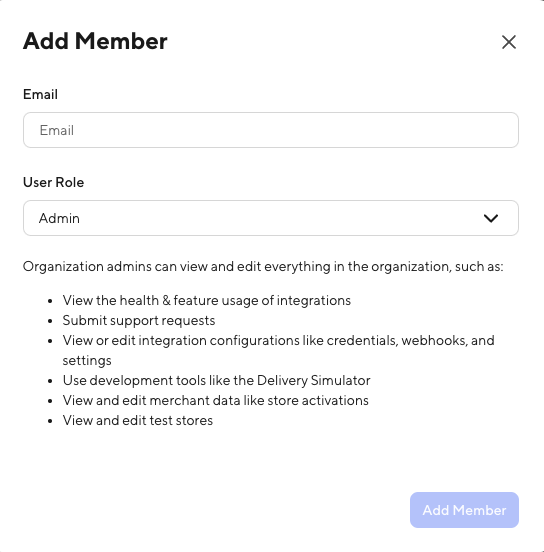
3. Enter the member's details
Enter your teammate's email address, select a role for them, and click Add Member.
Your teammate must already have a DoorDash identity. If they don't, have them sign up at developer.doordash.com/signup and then come back to the Add Member screen.
Member is added
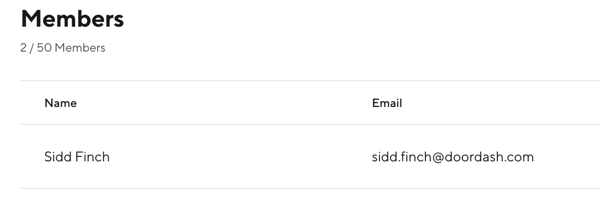
You should now see your teammate listed as a member of the organization. Send the new member a link to the Developer Portal developer.doordash.com/portal and have them sign in.
Next steps
- Learn more about what roles are available in the Roles reference guide
- Need to update an existing role? Navigate to the Organization page and select the three dot menu option next to the user to remove or update the existing role.