Order Cart Adjustment V2
WHAT
DoorDash is enhancing its Order Cart Adjustment (OCA) feature to simplify how order changes are handled between merchants, customers, and providers. The upgraded experience introduces better transparency for customers, easier adjustments for merchants, and improved data consistency for providers—reducing friction and creating a smoother live order experience.
WHY
In the current OCA flow, customers are unable to review or accept order changes made by merchants, and providers lack a simple way to retrieve the fully updated order payload once adjustments are applied. These limitations can create reconciliation challenges on POS systems, add technical and operational overhead, and lead to suboptimal customer and merchant experiences.
By rebuilding OCA (OCA 2.0), we aim to close these usability and technical gaps through an improved API and notification flow that enables:
- Customer transparency and control, allowing them to accept or reject adjustments;
- Seamless merchant experience, enabling adjustments directly from POS without support calls;
- Accurate provider reconciliation, through a webhook and GET endpoint for updated order payloads;
- Reduces order cancellations and improves the overall live order experience.
ASK
We are asking our partners to review the proposed options and provide feedback on level of effort, interest, and share any risks or dependencies that we should be aware of.
PROPOSED OPTIONS
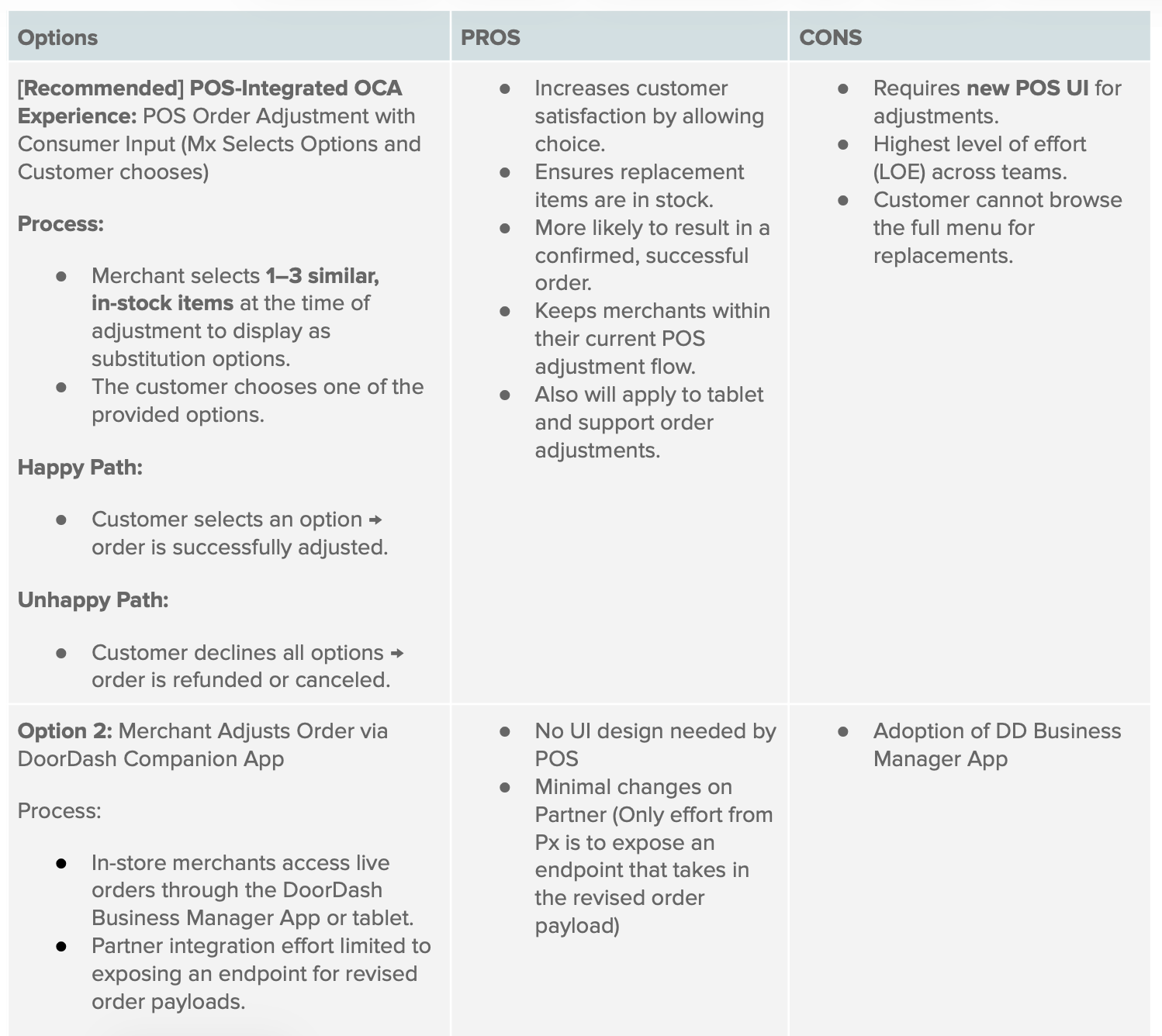
Option 1: POS Order Adjustment with Customer Input [Recommended, Native Format]
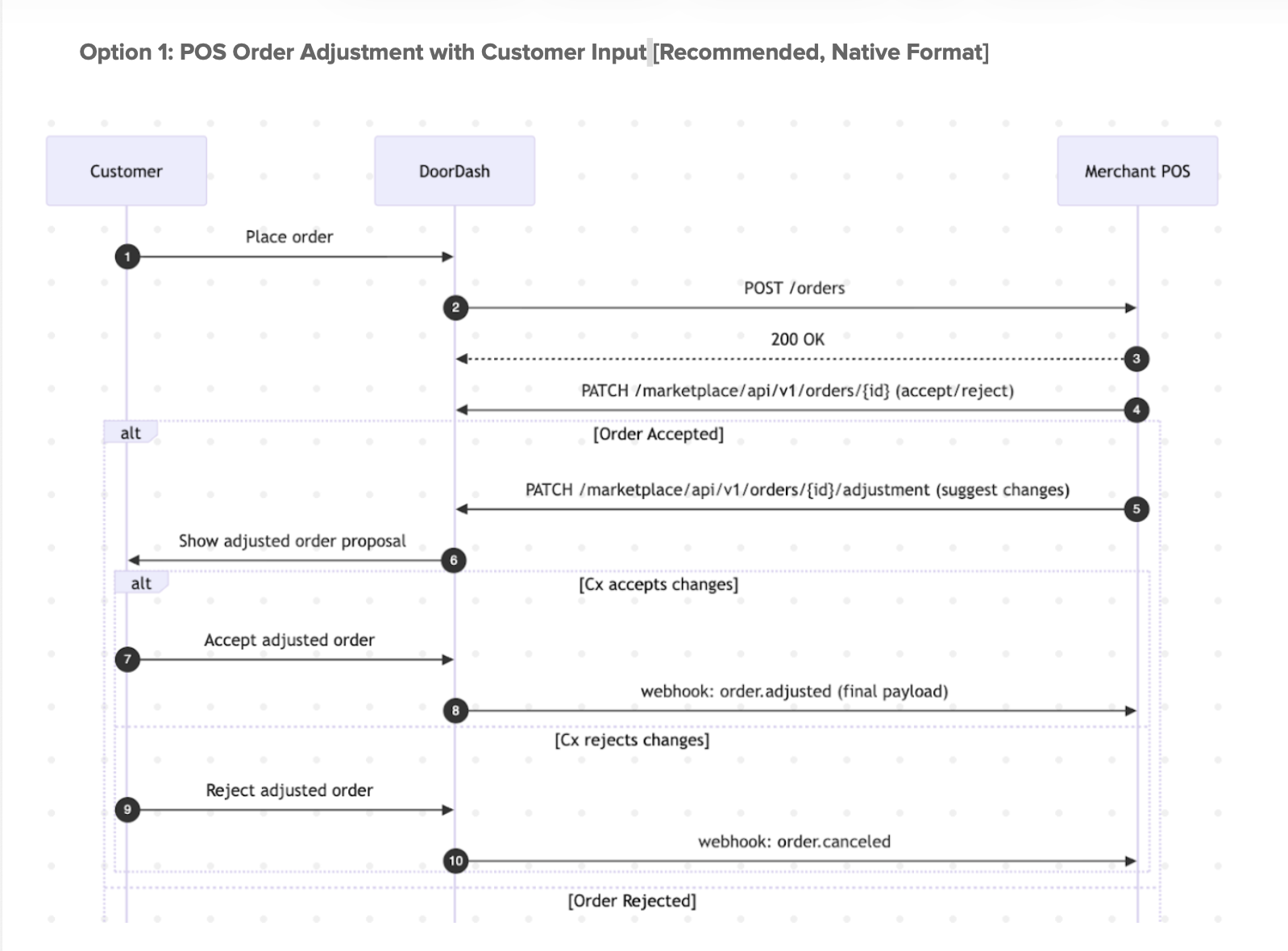
Option 1: Order Adjustment Flow Description
-
Order Placement:
DoorDash places the customer’s order to the Merchant POS system via the order creation API. -
Acknowledgment:
The POS acknowledges receipt of the order with an HTTP 200 OK response. -
Order Confirmation:
The POS either accepts or rejects the order by invoking the Order Confirmation API
PATCH /marketplace/api/v1/orders/{id}. -
Order Adjustment Proposal:
Upon acceptance, the POS may propose modifications by calling the Order Adjustment API
PATCH /marketplace/api/v1/orders/{id}/adjustment. -
Customer Review:
The proposed changes are displayed to the customer within the DoorDash platform for approval.- If the customer accepts the changes, DoorDash sends a webhook to the POS containing the final adjusted order payload.
- If the customer rejects the changes, DoorDash sends a cancellation webhook to the POS to invalidate the order.
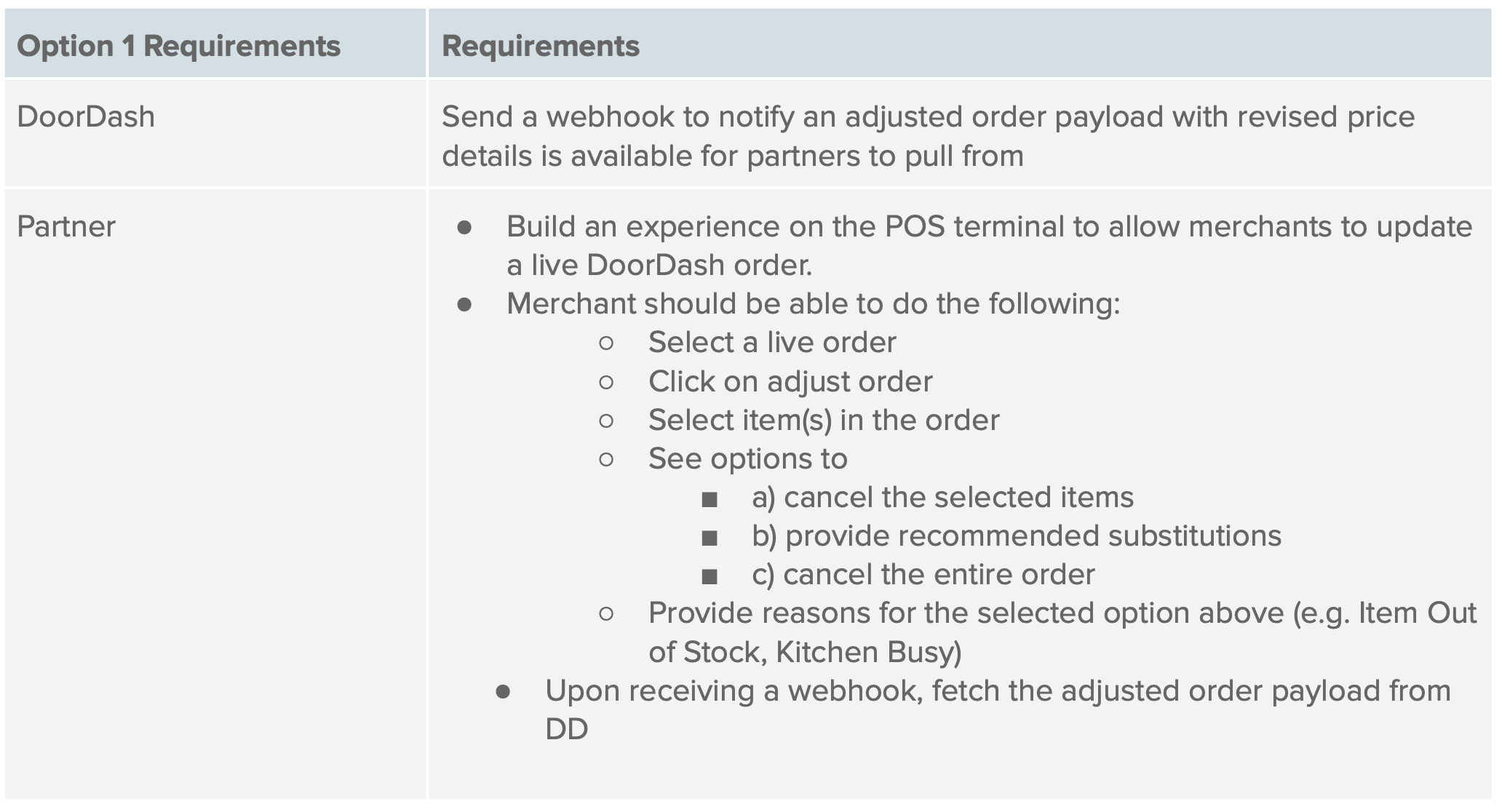
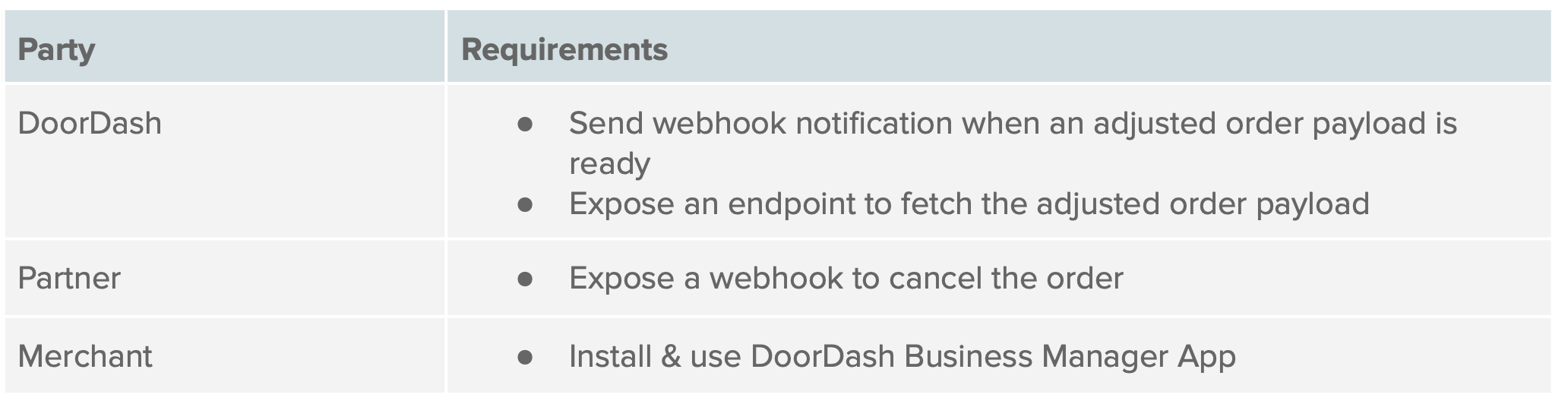
Option 2: Order Adjustment Flow Description (Using DoorDash Companion Apps)
-
Order Placement:
DoorDash sends the customer’s order to the Merchant POS system via the order creation API. -
Acknowledgment:
The POS acknowledges receipt of the order with an HTTP 200 OK response. -
Order Confirmation:
The POS either accepts or rejects the order by invoking the Order Confirmation API
PATCH /marketplace/api/v1/orders/{id}. -
Order Adjustment Proposal:
After accepting the order, the merchant chooses to update the order with item substitutions using a DoorDash Surface (Business Manager App/ Tablet). -
Customer Notification:
The proposed adjustments are communicated to the customer and customers can approve the adjustments or reject it by asking for a refund of the individual item or the entire order. -
Adjusted Order Payload Ready:
DoorDash sends a notification that the adjusted order payload is ready. -
Fetch the Adjusted Order Payload:
The partner fetches the final adjusted order payload from DoorDash.
Pros and Cons of Each Option